

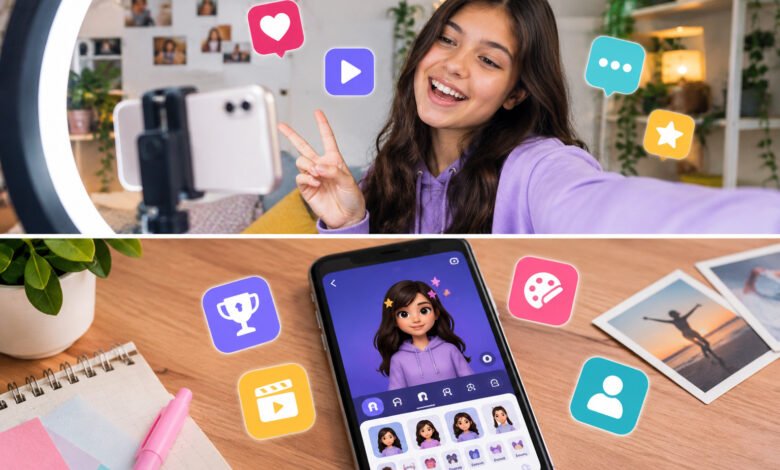
The Coverstar App is a social networking platform that focuses on short videos, creative challenges, digital avatars, and community interaction. Developed by Norae Inc., it gives users a place to share their talents, explore new ideas, and discover content from other creators. The platform promotes positive interaction and offers tools for video creation and entertainment. Understanding its features, challenges, benefits, and safety options can help users decide whether it suits their interests.
What Is Coverstar and How Does It Work?
Coverstar is designed for people who enjoy creating short videos and participating in online activities. Users can record content, browse videos, follow creators, and interact through likes and comments. Its main purpose is to encourage creativity instead of making users spend all their time watching content.
The platform offers a social feed with featured videos and content from followed accounts. Users can also explore challenges and customize digital avatars. Although the app promotes a positive environment, users should remember that public content can reach people they do not know.
Video Creation Features
Video creation is one of the main features of the platform. Users can make dances, reactions, get-ready-with-me videos, vlogs, and other short clips. These formats allow beginners and experienced creators to share ideas in a simple and engaging way.
The available tools help users present their interests and personalities. For example, someone who enjoys art can share a creative project, while another person may record a hobby or make a lighthearted comedy video. The exact recording and editing options can vary by app version and subscription plan.
How Creative Challenges Work
Creative challenges give users a theme or prompt to follow when making a video. A challenge may encourage participants to create a dance, act out a funny scene, or present an idea in their own style. These activities provide a starting point for users who are unsure what to record.
Some featured challenges include deadlines, profile badges, or prizes. The rules and rewards depend on the individual activity. Users should read each challenge’s requirements before joining and avoid activities that request private information or unsafe behavior. Participation should remain enjoyable rather than becoming a competition for popularity.
Avatars and Personalization
Digital avatars offer another way to express creativity. Users can customize an avatar’s appearance, choose different styles, and use available expressions or emotes. This feature adds a playful element to the experience and gives users another option for personal expression.
Avatar customization can also make creative activities more varied. Users may experiment with different looks or create content around a particular theme. Available customization options may change with updates, so users should check the current app version for the latest features.
Social Interaction and Community Features
The platform allows users to discover creators, follow accounts, like videos with stars, and comment on posts. These features help people share feedback and find content related to their interests. A supportive comment can encourage a creator to keep practising and trying new ideas.
The company states that the platform does not offer direct messaging. However, public comments and shared videos still require care. Users should avoid revealing personal details, respect other people’s privacy, and report content that breaks community rules. Online popularity should never be more important than personal comfort.
Safety and Privacy on Coverstar
Safety is an important part of the platform’s design. Coverstar uses AI-assisted moderation and human review, and it provides tools for reporting inappropriate content and blocking accounts. Its community guidelines prohibit bullying, harassment, threats, and other harmful behavior.
These tools can help address problems, but they cannot guarantee that every post will be appropriate. Users should review privacy settings before sharing videos and avoid including their home address, school details, phone number, or other sensitive information. Parents and guardians can help younger users understand the platform’s rules and make informed decisions.
Benefits of Using Coverstar
One potential benefit is the opportunity to practise creative skills. Making a short video involves choosing a topic, planning a message, and presenting an idea clearly. Regular creative projects can help users become more comfortable expressing themselves.
Challenges can also introduce new ideas, while avatars provide another form of personalization. The social feed helps users discover different styles and interests. However, these benefits depend on how the platform is used. Taking breaks, setting reasonable limits, and focusing on enjoyment can support a healthier online experience.
Limitations and Things to Consider
Like other social apps, Coverstar has some limitations. Users may experience technical issues, recording restrictions, or differences in available features. Public content can also expose users to unwanted comments or material that does not match the platform’s positive image.
Some features require payment. According to the official help centre, Coverstar Premium offers longer videos and an ad-free experience, while the separate Creator subscription includes eligibility to livestream. Creator access requires approval and is not guaranteed simply by purchasing Premium. Users should review current prices and subscription terms before paying.
Challenges can sometimes encourage users to focus too much on likes, badges, or prizes. It is better to treat these activities as optional creative exercises. No user needs to participate in every trend or share content simply to gain attention.
Read More: epleys.com
Tips for a Better Experience
New users can start by exploring the platform’s features and reading its community guidelines. Creating a simple video about a favourite hobby is a useful way to become familiar with the recording tools without feeling pressured to produce something perfect.
Before joining a challenge, check its rules and decide whether it feels appropriate. Keep personal information private, ask permission before sharing videos of other people, and use reporting or blocking tools when necessary. Families should also review account settings, age requirements, and in-app purchases.
In Short
Coverstar combines short-video creation, creative challenges, avatars, and social interaction in one platform. Its features can help users explore interests and practise creative skills, while moderation and reporting tools offer ways to address inappropriate content. However, privacy, public interactions, technical limitations, and paid features remain important considerations. Reviewing the rules and settings before getting started can help users make a more informed decision.
FAQs
What is the Coverstar App used for?
It is used to create and watch short videos, participate in creative challenges, customize avatars, and interact with other creators.
Can users join video challenges?
Yes. Users can participate in available challenges by following the instructions and requirements for each activity.
Is Coverstar free to use?
The app is free to download, but it offers in-app purchases and paid subscription options. Check the current terms before purchasing.
Does Coverstar offer privacy and safety tools?
Yes. The platform provides reporting and blocking tools and describes a combination of AI-assisted moderation and human review. These measures cannot remove every online risk.
Can users create longer videos?
Longer videos are included in the Premium subscription, according to the official Coverstar help centre. Available features and terms may change.